
Address Verification
& Validation for Salesforce®
Keep your Salesforce address data accurate, standardised and complete. AddressTools helps your users verify addresses as they type, reducing entry errors, failed deliveries, and the time spent correcting records.
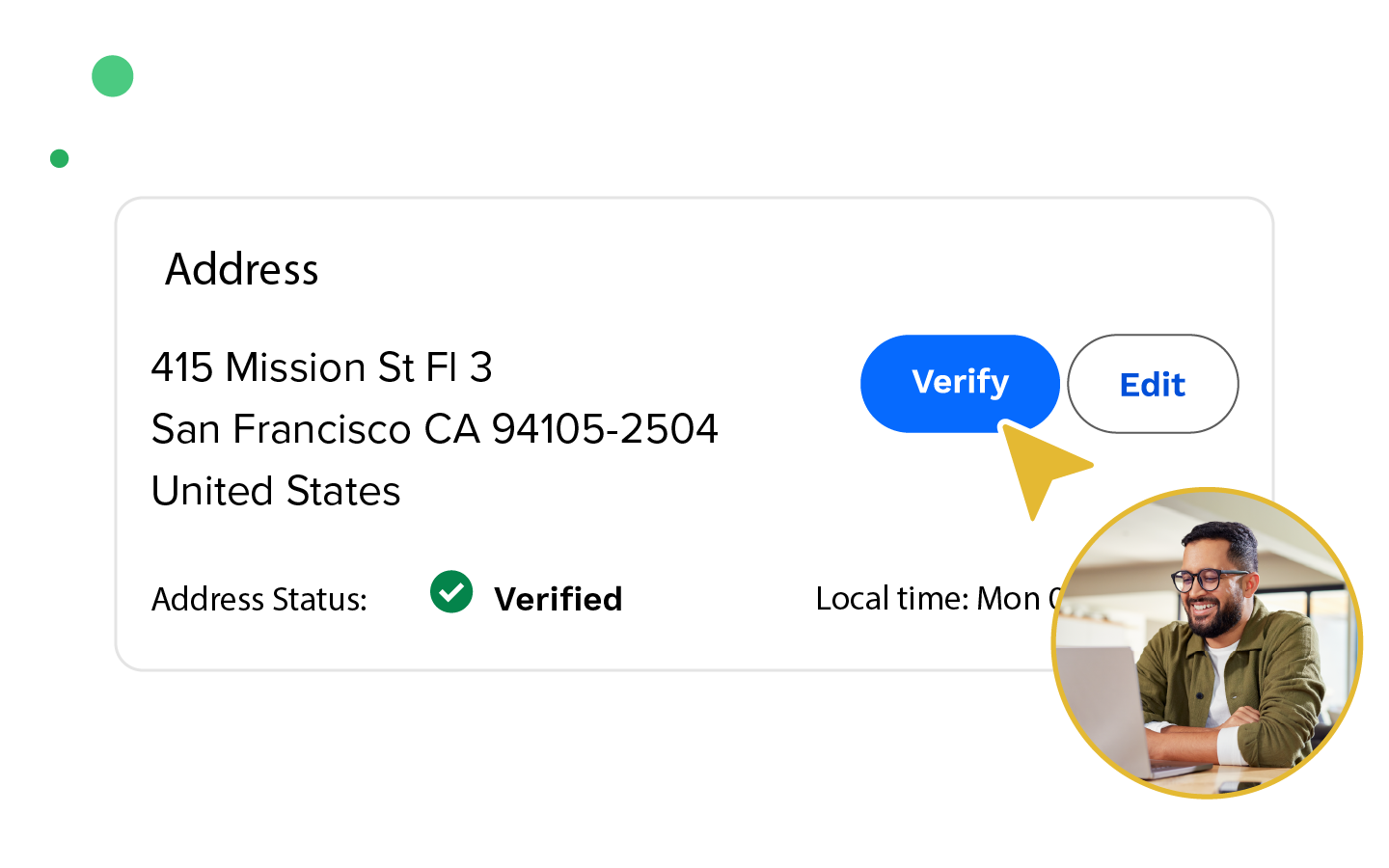
Keep every address accurate, standardised, and up to date in Salesforce.
Global Address Verification
AddressTools verifies your addresses against postal-authority reference data worldwide, helping your team improve territory management, reduce delivery failures and simplify reporting. Your team can verify an address at the point of entry with PowerSearch, or on demand from a record. Verification also runs automatically from Salesforce Flow. Scheduled and on-demand batch jobs clean your existing records, targeted by your own Salesforce reports.
Address Validation
AddressTools prevents incomplete or unrecognised addresses from entering your Salesforce org, protecting your reporting, automation and downstream processes. Make address fields mandatory country by country, restrict entry to recognised countries, states and US ZIP codes, and check postal codes against country-specific formats. AddressTools standardises country and state values automatically each time a record is saved.

Why AddressTools?
“Data quality plays a critical role in the success of most processes in any Salesforce org. AddressTools is sure to make cumbersome data correction a thing of the past!”
– Andreea Doroftei @ Salesforce Ben
See AddressTools in action
Discover how AddressTools can help your team capture accurate address data, simplify data entry, and maintain cleaner records in Salesforce. Choose your region to book a personalised demo with our team and explore how AddressTools could fit your organisation’s needs.
Can’t find a suitable time, or prefer to speak by email first? Send us your questions through our Contact form, and our team will get back to you.
Don’t need a demo?
Install AddressTools directly from the Salesforce AppExchange and start your free 14-day trial. Our comprehensive installation walkthrough will guide you through setup so you can begin exploring AddressTools in your own Salesforce environment.
Free trial available on the Salesforce AppExchange
AppExchange Reviews for AddressTools
★★★★★
Great to work with
“PW have been great to work with from quoting a project and implementation to making sure we were happy with the final results. To have someone check in with us after the project was complete and that we were happy is hard to find today.”
AppExchange
★★★★★
Excellent product and great support
“We have recently implemented address validation in our Org and it has been a great experience. The product works great and lot of flexibility. Also the team we worked with specially Beth is great. Very professional and are available when we need them. We have been able to quickly resolve setting issues and their support after implementation has been very good.”
AppExchange
★★★★★
Fast effective, high quality, low price
“By far one of the Best apps/tools we have added to our system. The advanced normalisation capabilities have greatly helped with Data Integrity. The Regex for ZipCode Validation is also a nice feature.”
AppExchange
Key features
Explore AddressTools features
Capture and standardise address data
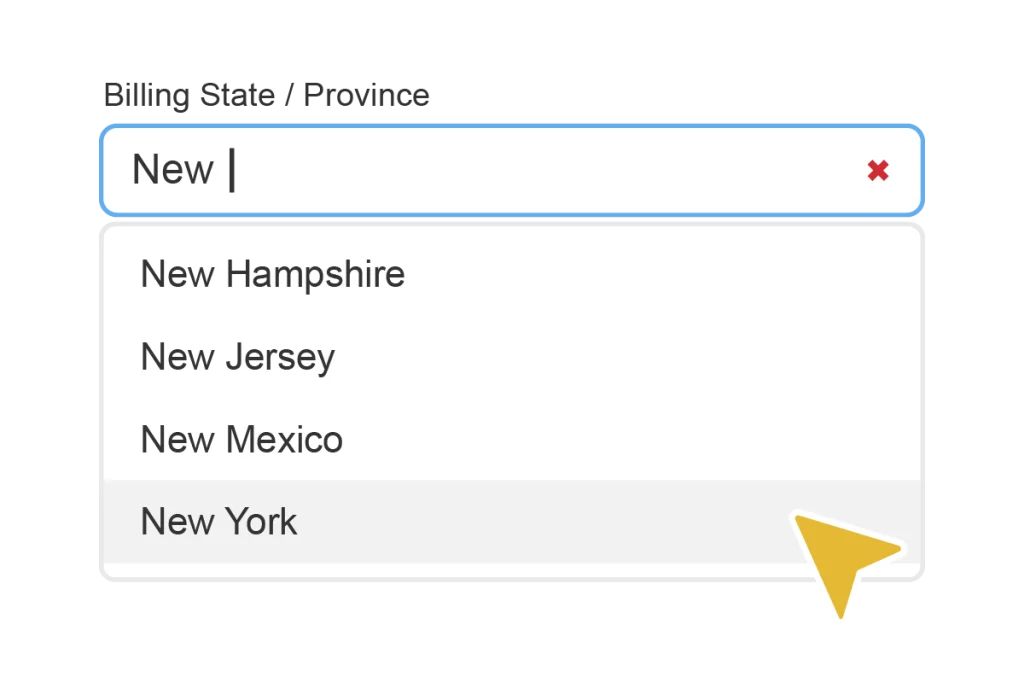
Interactive data entry
Optimise your workflow with time-saving and user-friendly interactivity. Includes US ZIP Code Lookup, QuickComplete Country, Interactive State and Country Picklists and Premise-level address verification.
Advanced validation rules
Improve address data at the point of entry with flexible validation rules using included Country, State, and US ZIP values.

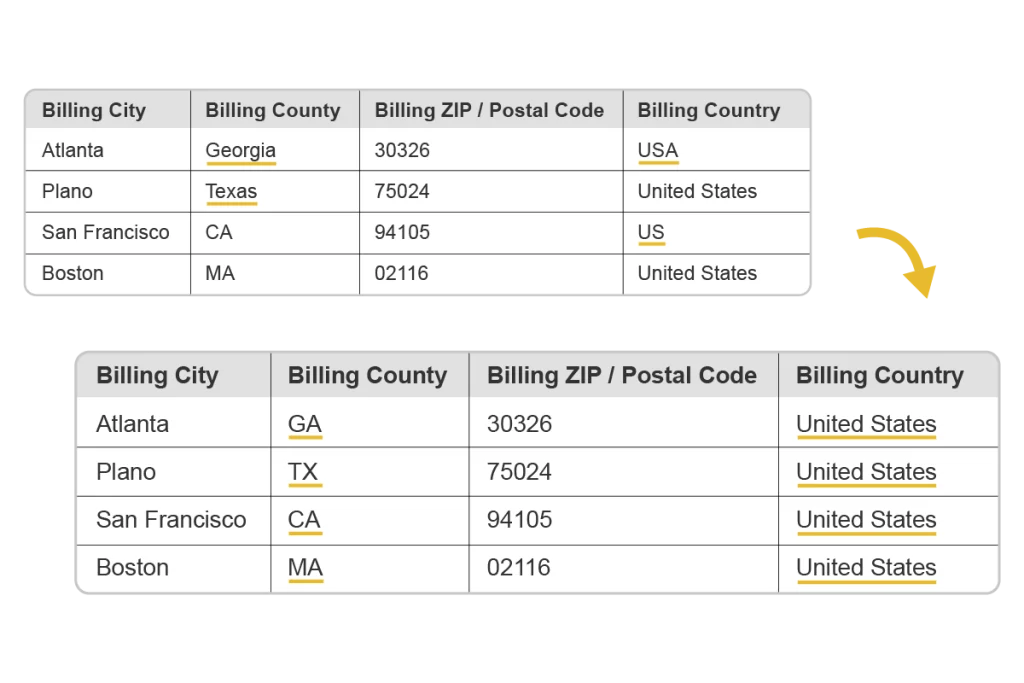
Country & State standardisation
Simplify reporting and improve administrative processes by standardising country and state values to your preferred format.
Verify and enrich your Salesforce records
Global address verification
Enhance your territory management, reduce delivery failures, simplify reporting… it all starts with good address data. Update your records with typeahead suggestions, scheduled address verification and manual interactive batch jobs. Check out our PowerSearch address verification video to find out more!


Geocoding
Unlock Geolocation with AddressTools v10 – add latitude & longitude to every verified address, including addresses on custom objects.
Automatically return geolocation data during address verification in Salesforce. This enables smarter routing, reliable distance calculations, and location-based workflows, all based on the data provided by AddressTools.
Capitalise on US county data
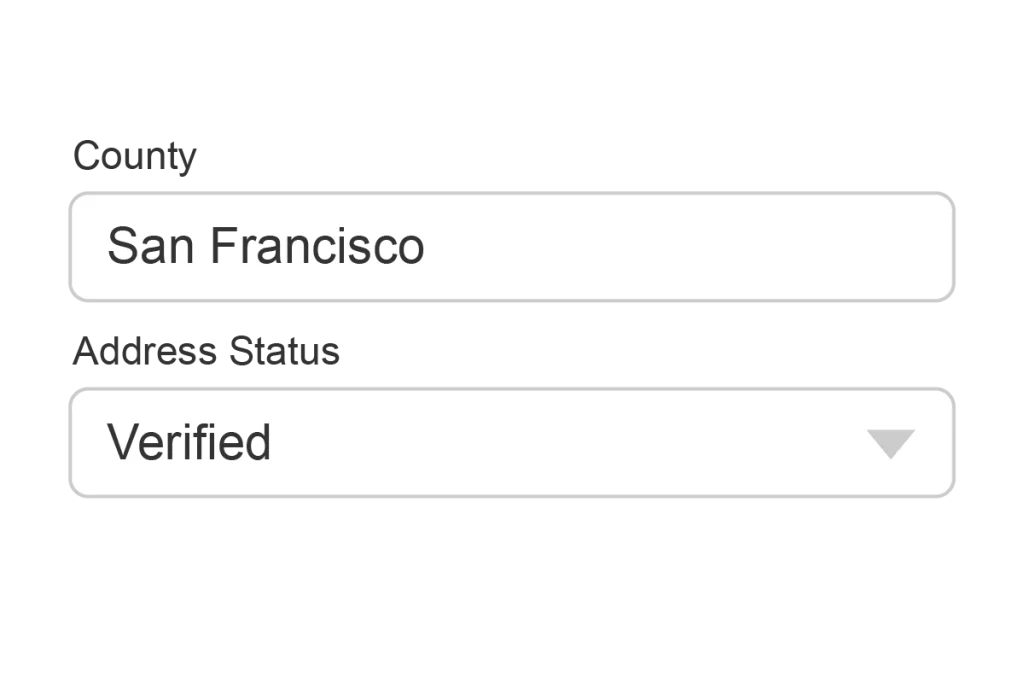
Autopopulate exact county values using both our interactive and automated postal address verification. If you don’t need full postal verification, populate county values using ZIP+4 based values – the four-digit extension that identifies addresses at county and sub-district level.
Fit AddressTools into your Salesforce processes
Verification flow component
Empower your flows and custom Lightning components with our fully customisable Address Verification Flow Component. Autocomplete addresses in your flows with verified data in 5 keystrokes or less. No code needed!
Enhanced address editor
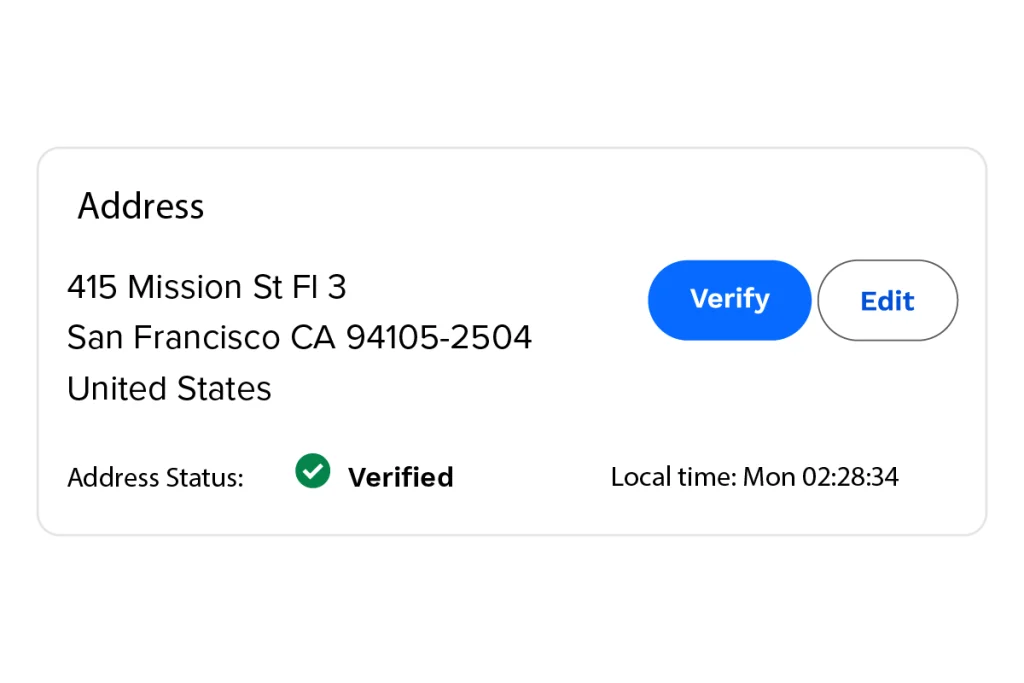
View and edit standard or custom address fields with the AddressTools Lightning Component. See the current local time, or edit and verify the address with ease, anywhere in Salesforce, including Community Cloud®.

Custom configuration for profiles and users
Customise AddressTools settings for different profiles and users in your organisation. You decide which data hits Salesforce.
Flexible pricing for your Salesforce organisation
Choose the AddressTools setup that fits your organisation, with annual licence pricing starting at $2,400 USD per Salesforce org for organisations with 50 or fewer users. Address verification and geocoding lookups are priced separately. Visit our pricing page to compare available features and find the right option for your team.
Ready for better address data in Salesforce?
Start a free 14-day trial and explore AddressTools in your own Salesforce environment, or book a personalised
demo to discuss your organisation’s requirements with our team.