



With the release of PhoneTools 3.0 comes changes to the PhoneTools status icons and colours. This change removes ambiguities and provides additional clarity at a glance.
Not listed
The ‘Not listed’ status indicates:
- The number has been screened and does not exist on the databases screened against.
- The Next Screen Due date in the future.
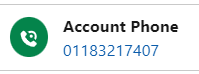
Changes: The status has changed from a tick on a green background to a phone icon on a green background.
Listed
The ‘Listed’ status indicates:
- The number has been screened and exists on a database screened against.
- The Next Screen Due date in the future.
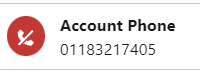
Changes: The status has changed from a cross on a red background to a phone with a strikethrough icon on a red background.
Not yet screened or overdue
The ‘Not yet screened or overdue’ status indicates:
- The Next Screen Due date is in the past, or empty.
- The record needs screening to provide a valid result.
Changes: ‘Not yet screened’, previously represented by a question mark on an amber background, and ‘Overdue’, previously represented by a clock on an amber background, have now been changed to a refresh icon on a blue background. These statuses have been merged because as the action for the user is the same (i.e. submit the record for screening to provide a valid result).

Error
The ‘Error’ status indicates:
- There was an issue with the number (i.e. a bad number), or an issue with the screening job (i.e. the org has run out of screening lookup).
- The issue needs to be resolved to provide a valid result.
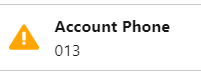
Changes: The status has changed from a cross on a red background to an exclamation mark on a yellow background.
Excluded from Screening
The ‘Excluded from screening’ (formerly ‘Not required’)status indicates:
- The org is configured with a formula rule for establishing whether the record should be screened. The status indicates that the record does not meet the requirements for screening.
Changes: The icon has remained the same however the prompt text has changed from ‘Not required’ to ‘Excluded from screening’.
To learn more about what’s new in PhoneTools 3.0, please refer to: Link

How to upgrade
Upgrade to PhoneTools 3.0 now!
Simply install the latest package from the Salesforce AppExchange to access these latest features.
Start using PhoneTools for free
If you aren’t using PhoneTools already, you can get started with all the latest features for free! Screen your phone numbers on up to 250 records each month against the TPS and CTPS lists at no cost.