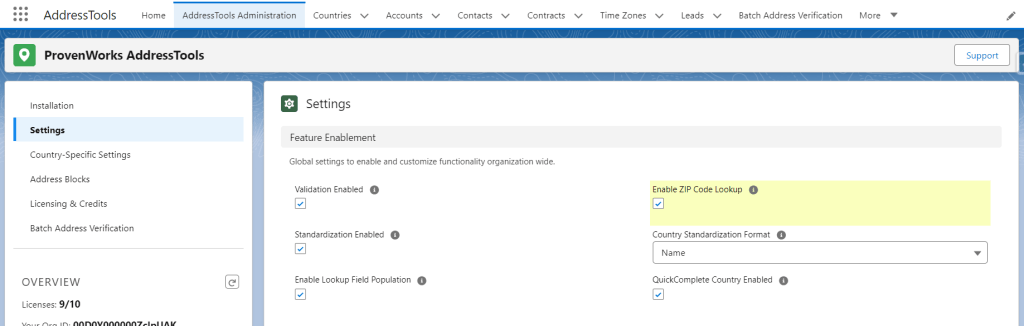
Enabling ZIP Code Lookup functionality for the organization
Enabling this setting will provide a Lookup ZIP button next to postal code fields when using either the AddressTools override or the Lightning Record Page component. In the event that you want to disable ZIP Code Lookup functionality for all users, the following setting can be disabled.
- Open the AddressTools Administration page in your org.
- In the Administration interface, look for the ‘Settings’ tab on the left-hand side menu.
- Click on the ‘Settings’ tab to expand the options.
- You will be presented with a series of settings in the central panel of your screen, under the ‘Feature Enablement’ section.
- Among the listed features, locate the ‘Enable ZIP Code Lookup’ option.
- Click on this pencil button and check the ZIP Code Lookup checkbox.
- After you have checked the checkbox, make sure to click the ‘Save’ button at the bottom of the settings pane to apply and save your changes.