Overview
The IndustryComplete component allows users to:
- Add industry codes to records.
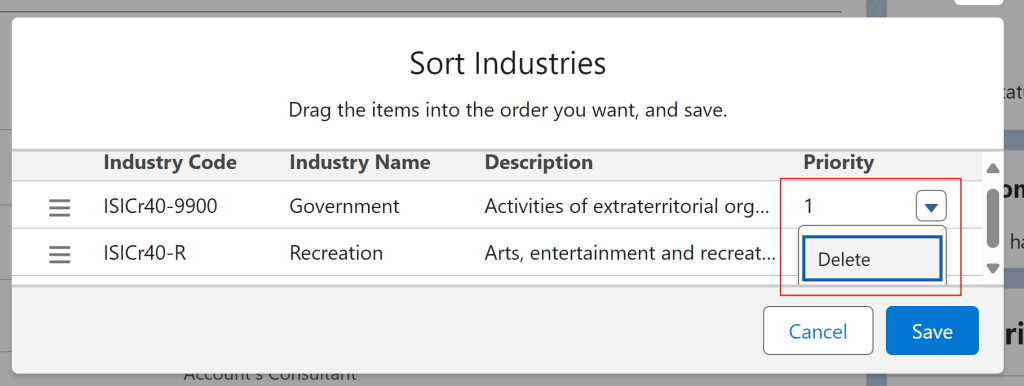
- Sort and delete existing industry codes to keep your records organized and relevant.
The component includes two main buttons as shown in the interface:
Add Industry Code Button – Allows you to search for, and add, a new industry code to the record.
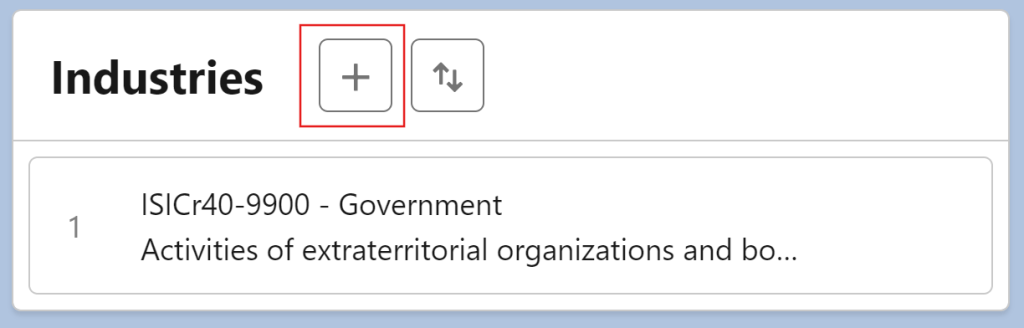
Sort/Delete Industry Button – Enables you to alter the displayed order of existing industry codes or delete selected codes.

Step-by-Step Guide
1. Adding an Industry Code
- Navigate to the record page where the IndustryComplete component is installed.
- Click the ‘
+'button to open the industry code selection window. - Search for and select the desired industry code from the list.
- Confirm your selection by clicking ‘Add’ to add the code to the record.
2. Sorting Industry Codes
- Click the ‘
⇅'button to enable sorting. - Rearrange the industry codes in the desired order by dragging and dropping them.
- Once satisfied, save the new order to reflect the updated sequence.
3. Deleting an Industry Code
- To delete an industry code, first click the
⇅button. - Select the dropdown button next to the code you want to remove.
- Confirm the deletion to remove it from the list.