How to add the AddressTools Record Page Component to your organization
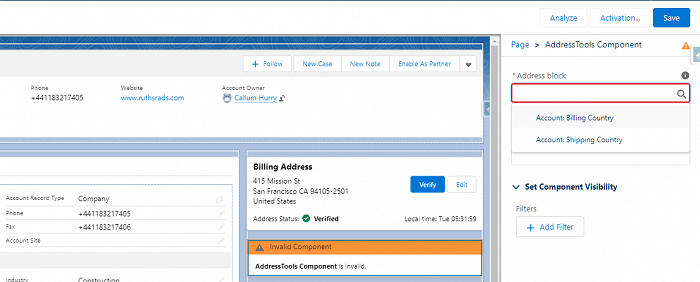
To add the AddressTools Record Page Component to a lightning record page:
- Navigate to
Setup | Object Manager | [Object] | Lightning Record Pages. - Select
Newor if a Lightning Record Page already exists, selectEdit. - Drag the
AddressTools Componentfrom the components list onto the layout. - Choose the
Address block. - Optionally, type into the
Component header titleto add a custom title. - Select
Save.
If the page has not yet been activated, a prompt will appear asking you to activate it. Follow the steps below to assign the page in the organization.
- Select
Activate.
The page can be assigned based on different levels. For this example, we will set the Org Default by pressing Assign as Org Default.
- Review the page assignment changes.
- Select
Save. - Press
Backto exit the App Builder page.